
If you want to know how many times a term is searched on Google, there is no single official "Google keyword tool" that shows one exact number. Google's own volume data lives inside Google Ads Keyword Planner, it is reported in ranges for accounts without ad spend, and every third-party volume figure is a model. So the practical question is not "what is the search volume?" but "which tool gives me the most defensible answer for this decision, and how do I read what it returns?" This page answers that in order, and separates the four different things people call "search volume".
How to check Google keyword search volume (short answer)
Use Google Keyword Planner first for volume ranges and paid competition, Google Search Console for the queries your own site already receives, and Google Trends for direction over time. Add one paid tool (Ahrefs, Semrush, Moz, Ubersuggest) only when you need estimated volume at scale, keyword-difficulty scores, or competitor gaps. Nothing here returns an exact count, and no single source answers all four questions below accurately.
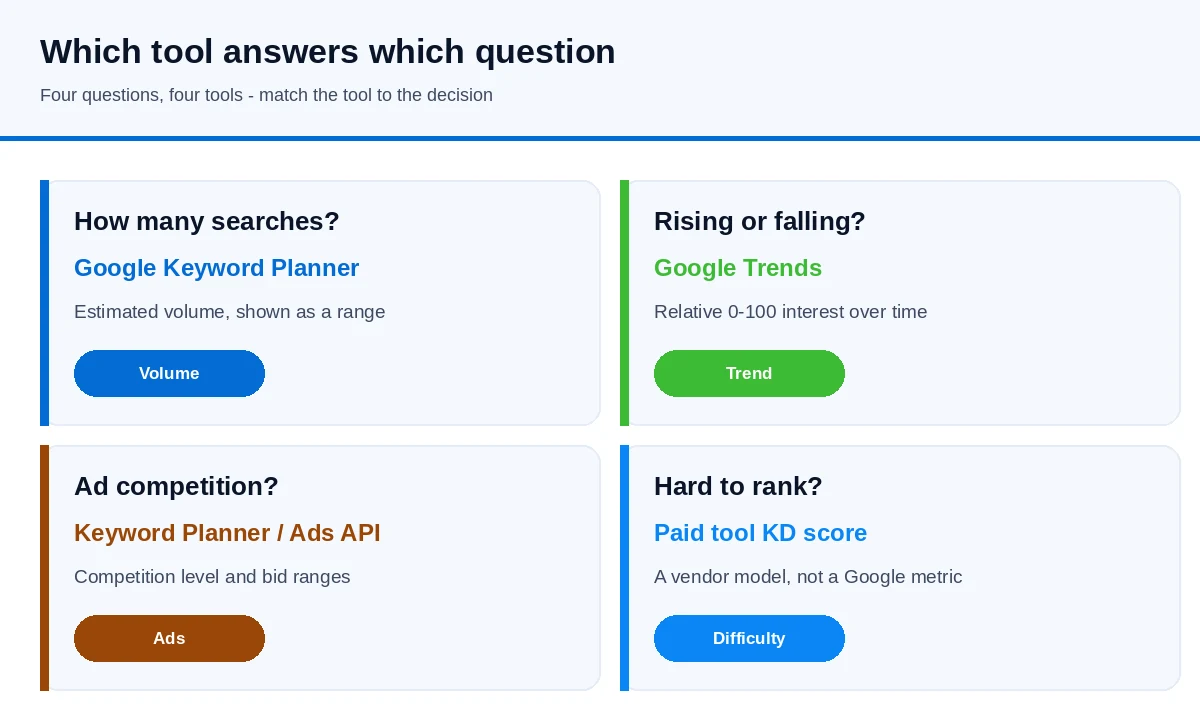
The four questions people actually mean by "search volume"
| Question | What it measures | Where to get it |
|---|---|---|
| How many searches per month? | Estimated demand for a term, usually a range | Google Keyword Planner; third-party keyword tools |
| Is interest rising or falling? | Relative interest over time (0–100), not a count | Google Trends |
| How competitive is the paid auction? | Ad competition, competition index and bid ranges | Google Keyword Planner; the Google Ads API |
| How hard is it to rank organically? | A vendor's model of how strong the current top results are | Keyword difficulty scores in Ahrefs, Semrush, Moz, etc. |
The common mistake is treating one column as all four. A high-volume term can have weak buying intent; a high cost-per-click tells you advertisers value the term, not that you can rank for it; and a difficulty score is a vendor's model, not a Google metric.
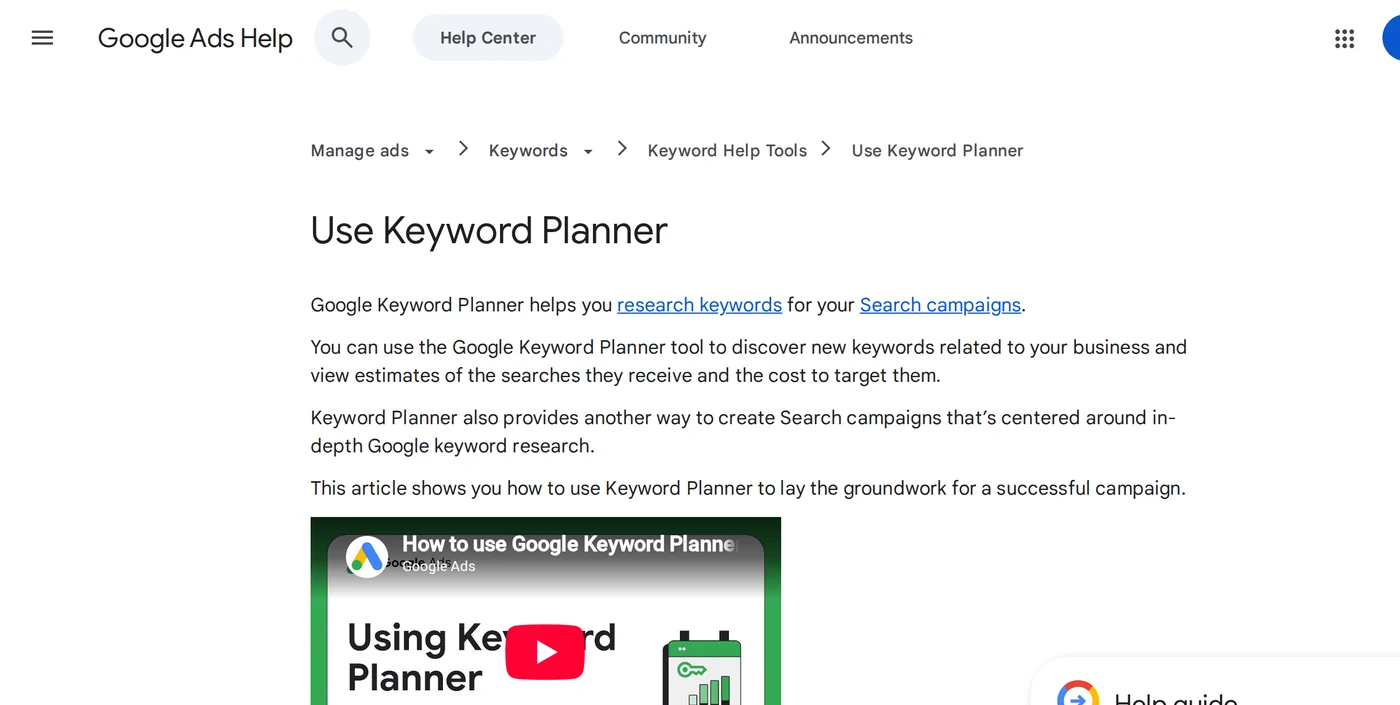
Google Keyword Planner: the closest thing to an official volume tool
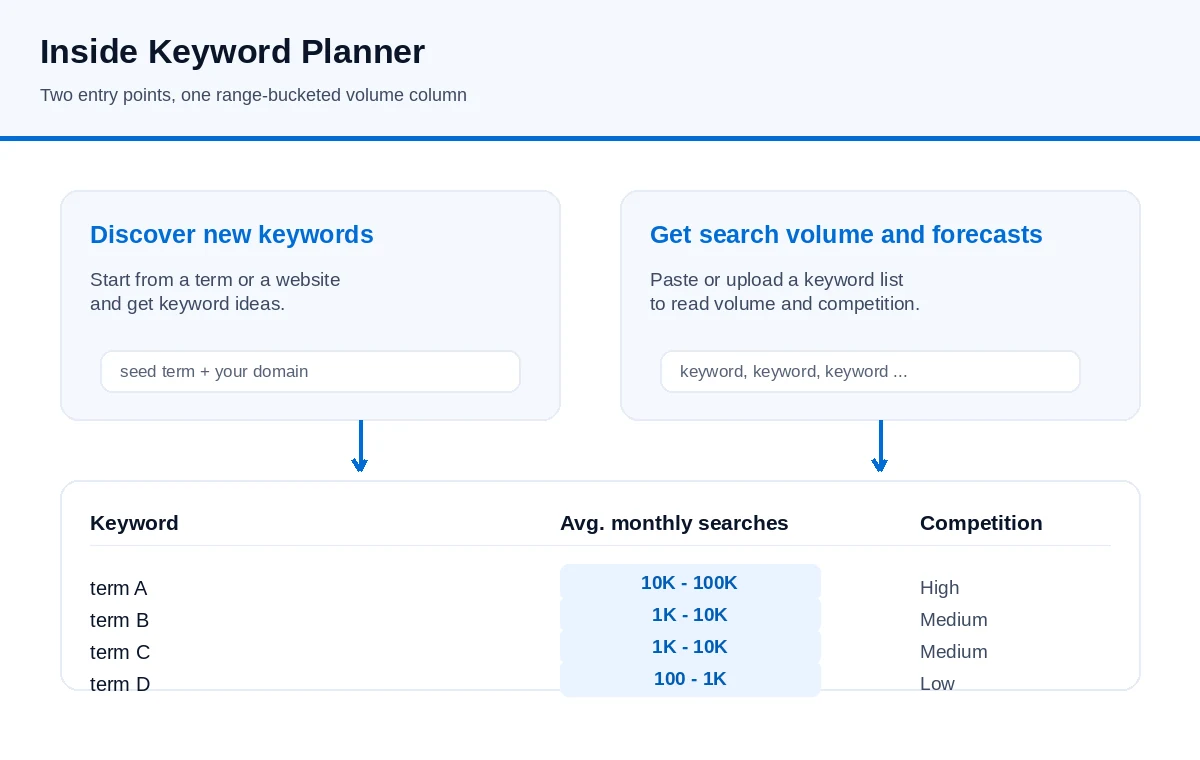
Keyword Planner is a free tool inside Google Ads. Per Google Ads Help, you must complete your account setup, including entering billing information, to access basic features such as "Get ideas for new keywords". Once inside, there are two entry points: Discover new keywords (start from a term or a website and get ideas) and Get search volume and forecasts (paste or upload a keyword list).
Two details decide how useful the numbers are:
- Volume is reported as a range. Until an account is linked to real ad spend, Planner shows bucketed ranges rather than a single figure, so it is best read as an order of magnitude and for relative comparison between terms, not as an exact count.
- Volume covers a keyword "and its close variants". Google's own column definition says the figure is the average number of times people searched for a keyword and its close variants for the month range, location and network you selected. Several phrasings you think are distinct can therefore share one volume line.
Other documented behaviour worth knowing before you build a plan on the numbers: forecasts are refreshed daily and based on roughly the last 7–10 days, adjusted for seasonality; each keyword is limited to 80 characters and 10 words; and sensitive categories such as health and finance may return no data. Because of how accounts are logged into, the same child account can even show slightly different figures depending on whether you enter it directly or through a manager account.
Google Search Console: your own real query data
Search Console is not a research tool for brand-new terms, but it is the only source of your own real query data — the queries you already appear for, with impressions, clicks and average position. The strongest keyword list usually starts here, because these are queries your site has already proven relevant to. For a query you have never appeared for, absence from Search Console is not evidence of zero demand; it only means you are not visible for it yet.
Google Trends: direction, not size
Trends shows relative interest on a 0–100 scale for a chosen geography and timeframe. It is excellent for seasonality, for comparing two terms, and for spotting a rising trend — but it does not return search volume, and its numbers cannot be read as counts. Use Trends to decide when and whether a topic is growing, and a volume tool to decide how big it is.
The official programmatic route: the Google Ads API
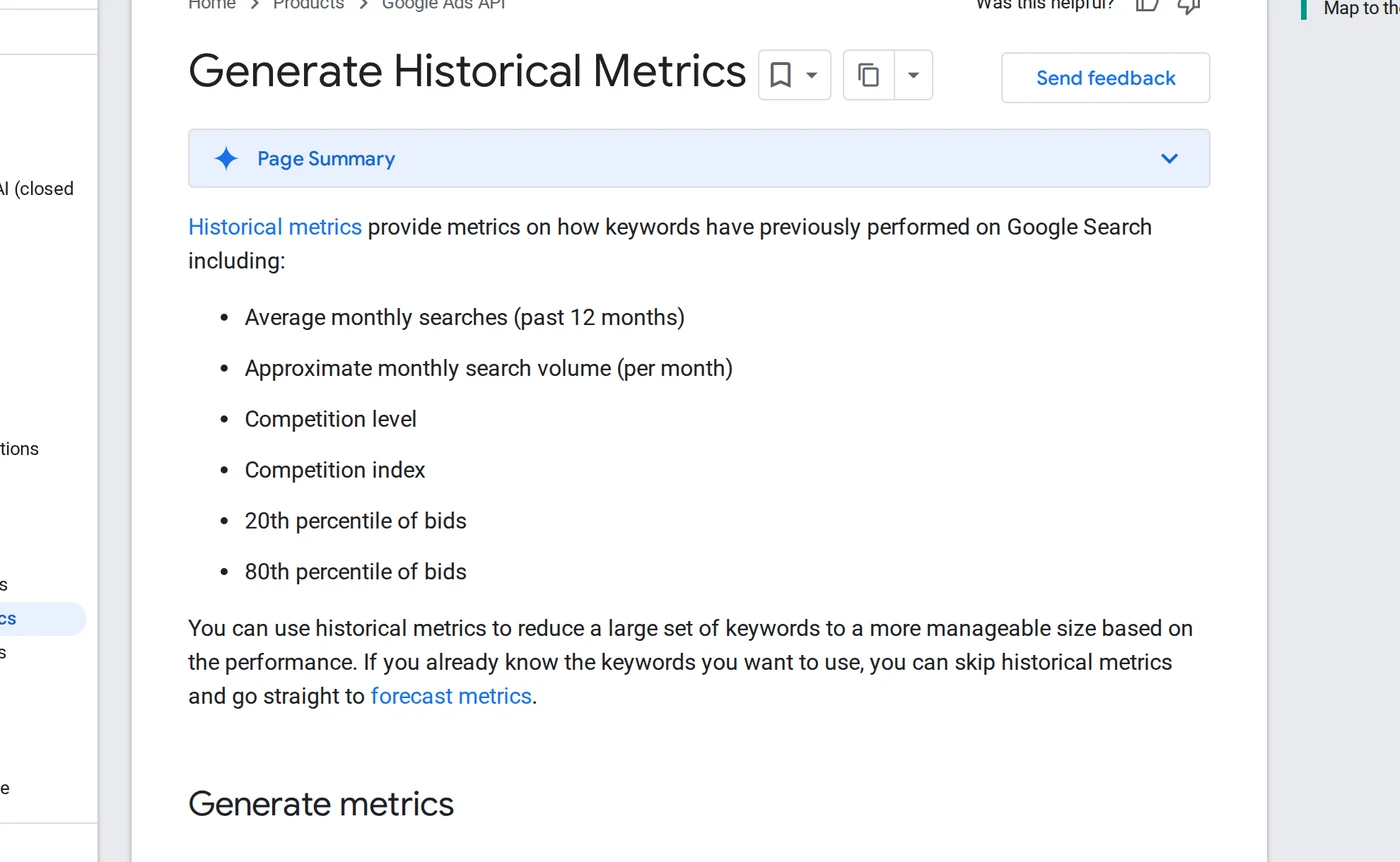
If you need volume data inside your own pipeline rather than the web UI, Google exposes it through the Ads API. The Generate historical metrics method returns, for a keyword list: average monthly searches over the past 12 months, approximate monthly search volume per month, competition level, a competition index from 0 to 100, the 20th and 80th percentile of top-of-page bids, and the list of close variants Google grouped with your keyword. This is the documented equivalent of Keyword Planner and requires API access, a developer token and an Ads account — it is not a public, key-free endpoint.
Paid tools and what they add
Paid platforms estimate volume across large keyword databases and add the extra dimensions: difficulty, estimated clicks, backlink context and competitor gaps. Published list prices change, so check each vendor's own page; as a rough guide in 2026:
- Ahrefs — backlink and keyword data with a low-cost Starter tier and higher Lite/Standard/Advanced tiers.
- Semrush — broad keyword, competitor and advertising research, with higher tiers for teams.
- Moz Pro — keyword and difficulty data built on its own domain-authority model.
- Ubersuggest — a low-cost entry tool for basic volume, difficulty and audits, with smaller database and tracking limits.
- Keyword Tool — autocomplete-driven long-tail ideas across many languages, priced below the big suites.
These are published list prices, not quotes and not a head-to-head benchmark. The tools differ in data sources and coverage, and their estimates will not agree with each other or with Keyword Planner exactly.
A workflow you can run in one sitting
- Harvest seeds from your own data. Export the queries you already rank for from Search Console and add the words customers use in sales and support conversations.
- Expand each seed. Use Keyword Planner for volume ranges, and a paid tool if you have one for related terms and questions. Collect variants that share one intent rather than splitting them into separate pages.
- Check trend direction. Put the shortlist into Google Trends and compare terms so you can tell growth from noise, and note seasonality so you can schedule ahead of the peak.
- Separate ad value from organic opportunity. Look at CPC and paid competition only if you plan to advertise; for organic work, judge the live results instead.
- Judge difficulty by reading the results. Are the current top pages the same type of page you would write? The actual results tell you more than a difficulty score.
- Confirm intent before writing. The same wording can mean research or buying. Match the page type to the dominant intent in the results.
Reading the numbers without being misled
- Volume is estimated. Different databases report different figures for the same term. Treat the number as a comparison, not a fact.
- Trends is relative. 0–100 measures interest against the peak in the chosen window, not the number of searches.
- CPC belongs to the ad auction. A high CPC means advertisers compete for the term; it does not measure organic ranking difficulty.
- Difficulty is a model. Scores from different tools are not comparable with each other; use one tool consistently for relative comparisons.
- A keyword list is not a content plan. Clustering terms by intent, mapping them to one page each and writing something worth reading is the part that produces traffic.
Related reading
- How to cross-check keyword search volume when tools disagree
- How to compare keyword search volume across countries
- Why Keyword Planner shows volume ranges — and what to do without ad spend
- How to read Google Trends
- Ubersuggest vs Semrush vs Ahrefs: which tool fits your task
Tools give you input; the value comes from turning it into pages, internal links and tracking. If you would rather have the whole chain — research, content, technical work and links — handled together, see Guangsuan's Google SEO service, or send us your site and target market to talk through the workflow first.
Sources
- Google Ads Help — Use Keyword Planner
- Google Ads API — Generate historical metrics
- Google Keyword Planner
- Google Trends
- Google Search Console
Volume figures from every tool are estimates. Verify current pricing and behaviour on each vendor's own site; this page does not report invented search volumes or guaranteed rankings.