
An XML sitemap is a file that lists the URLs you want search engines to know about, usually named sitemap.xml, written in the sitemap XML format and UTF-8 encoded. Its purpose is discovery: it helps Google and others find URLs they might not reach by crawling your links. It is not a ranking lever, and submitting one does not guarantee that the URLs inside it get crawled or indexed. The whole file is simple enough that you can read a correct one at a glance — and knowing which fields matter and which Google ignores is most of what "learning sitemaps" actually means.
A minimal valid file
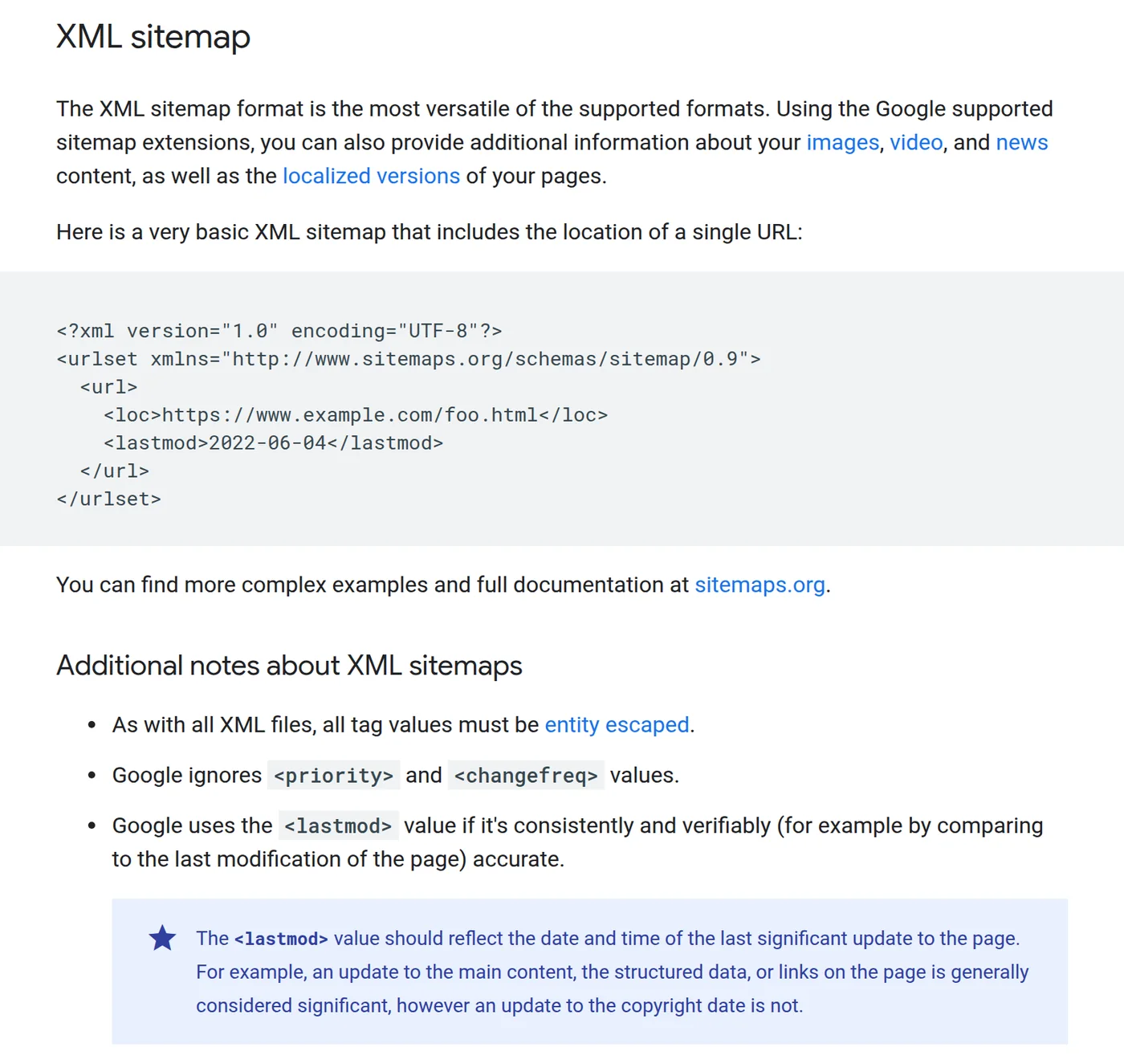
Google's Build and submit a sitemap documentation gives a bare example that carries a location and a last-modified date. That is enough. You do not need extra tags for the file to be valid.
<?xml version="1.0" encoding="UTF-8"?>
<urlset xmlns="http://www.sitemaps.org/schemas/sitemap/0.9">
  <url>
    <loc>https://www.example.com/</loc>
    <lastmod>2026-07-08</lastmod>
  </url>
  <url>
    <loc>https://www.example.com/guides/x</loc>
    <lastmod>2026-07-08</lastmod>
  </url>
</urlset>
Two rules that trip people up: use fully-qualified absolute URLs (no relative paths), and keep the root element's namespace exactly http://www.sitemaps.org/schemas/sitemap/0.9. One file may hold up to 50,000 URLs or 50 MB uncompressed; beyond that, split into multiple sitemaps and optionally point to them from a sitemap index.
Which fields matter — and which Google ignores
| Tag | What it is | Worth including? |
|---|---|---|
loc | The absolute URL | Required |
lastmod | Date of the last significant update | Useful if truthful and kept accurate |
changefreq | Suggested change frequency | Ignored by Google |
priority | Relative importance | Ignored by Google |
Google states it ignores <priority> and <changefreq> outright. It uses <lastmod> only when it is "consistently and verifiably accurate" — for example, when it can be compared against the page's real last modification. A copyright-year refresh is not a significant update; a rewritten comparison or a corrected recommendation is. If your CMS cannot produce honest per-page dates, it is better to omit lastmod than to stamp today's date on every URL.
What a sitemap can and cannot do
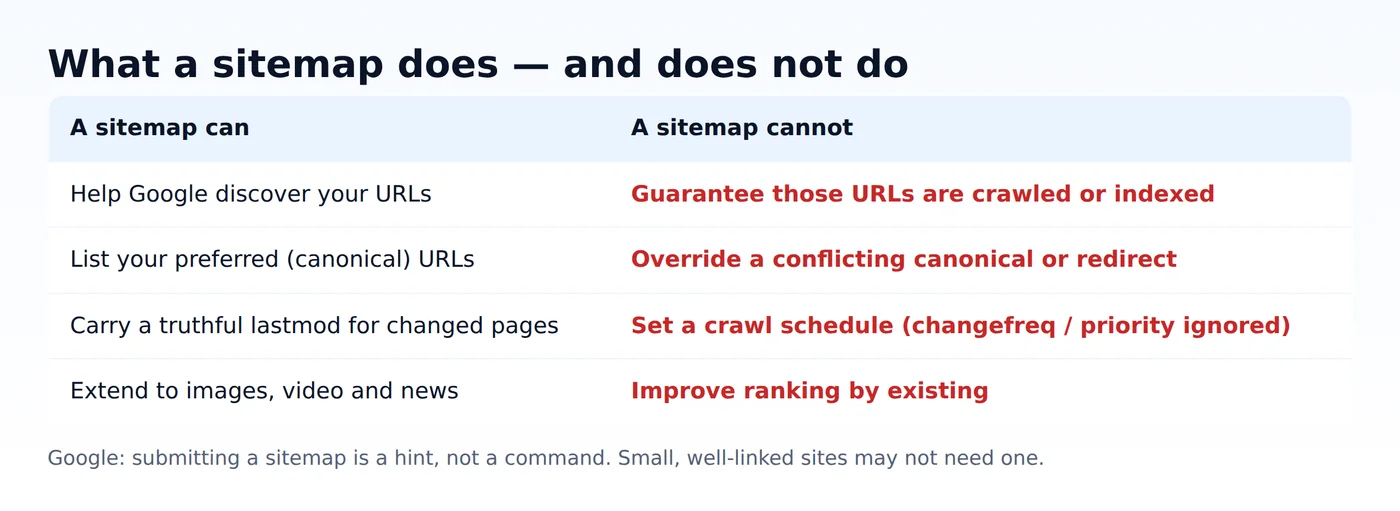
The official overview is blunt: "A sitemap helps search engines discover URLs on your site, but it doesn't guarantee that all the items in your sitemap will be crawled and indexed." It also cannot override a conflicting canonical or redirect — put the preferred, final URL in the file and make your internal links and canonicals agree with it.
Do you even need one?
Not always, and Google says so. A sitemap is most valuable when your site is large, when it is new with few external links, or when it has a lot of images, video or news content. Google's overview suggests you might not need one if your site is small — it names about 500 pages or fewer — is comprehensively linked internally, and has little rich media or news. If you do publish one, remember it only covers descendants of its parent directory unless you submit it through Search Console.
Checking your own sitemap
Before you submit, confirm the file parses, uses the right namespace, and carries the fields you think it does. A tiny local check is enough, and it should also tell you which tags are being ignored.
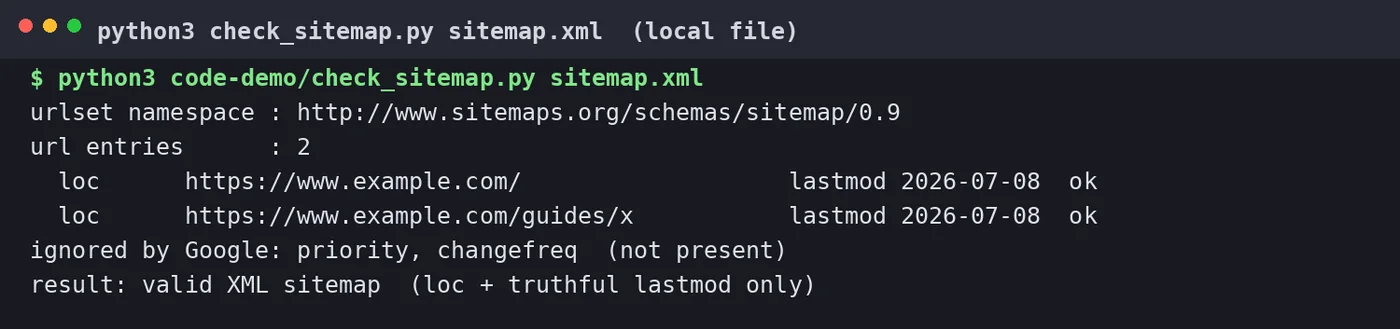
sitemap.xml. Teaching file; it lists example.com URLs.How this differs from adjacent guides
This page is the definition and format basics. Several of our other English guides answer narrower questions and are not repeats: sitemap update frequency and lastmod is about how often to update, not what a sitemap is; why an XML sitemap is still not indexed and why only some pages get indexed are diagnostic; Search Console sitemap errors is about fetch and parse failures; and multiple-subdomain submission is about cross-site setups. Start here if you just want to know what the file is.