
A manual action is not an algorithm update you wait out. It is a human reviewer at Google deciding that pages on your site break the spam policies, and it stays until you fix the problem and Google reviews your fix. That is why "recovery time" questions miss the point: the clock only starts once the issue is actually resolved on every affected page. This guide walks through what the report tells you, how to fix each type, and how to write a reconsideration request that gives a reviewer what they need.
First, separate manual action from algorithm penalty
People use "Google penalty" for two very different things. A manual action is recorded in Search Console and has a label you can read. An algorithmic drop has no message — your pages simply rank lower after a core or spam update, and there is nothing to "request review" for. Check the Manual actions report first. If it is empty, you are not dealing with a manual action, and filing a reconsideration request is not the right tool.
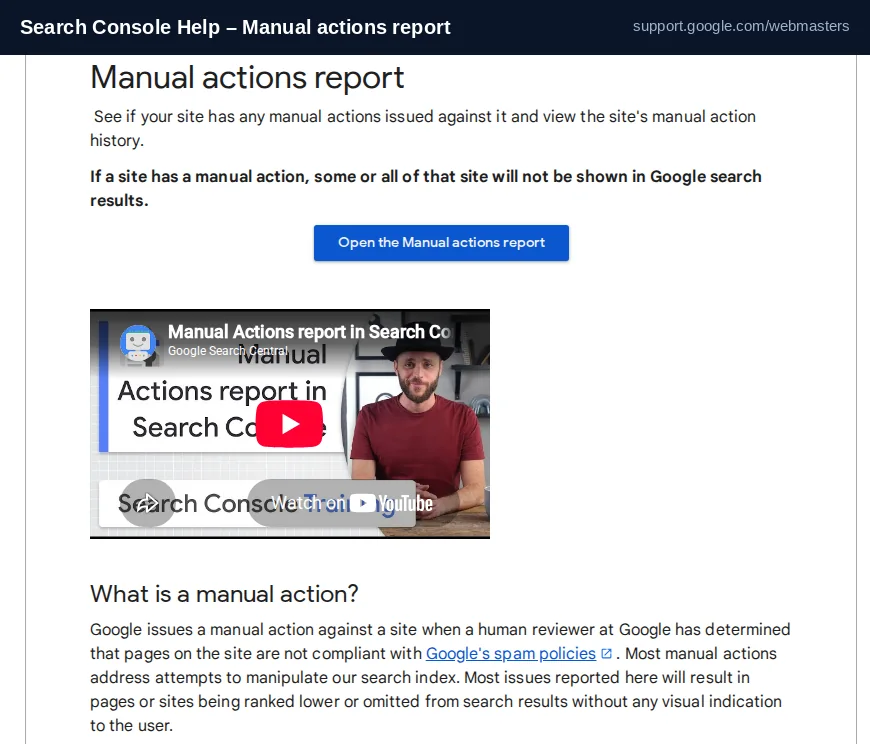
Read the label before you touch anything
The report names the exact issue and the scope — a directory pattern or the whole site. That label decides your whole plan, because the fix for link spam is nothing like the fix for thin content. Match your case in the table below and collect the evidence that type asks for.
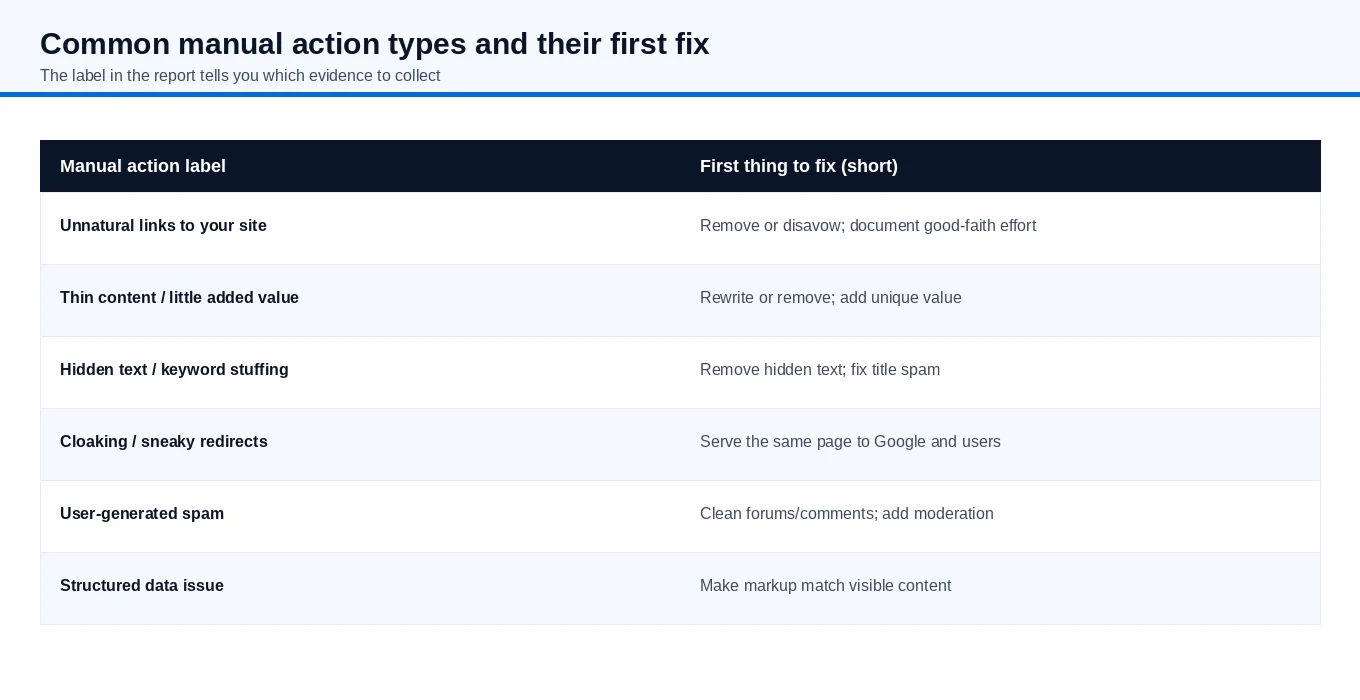
| Label in the report | What Google detected | Your work starts with |
|---|---|---|
| Unnatural links to your site | Artificial or paid links pointing in | Try to remove them, then disavow what you cannot remove |
| Thin content with little added value | Low-quality, scraped or doorway pages | Rewrite or remove; add real value |
| Hidden text / keyword stuffing | Text or words not serving users | Reveal or delete hidden text; clean titles and alt |
| Cloaking / sneaky redirects | Different content for Google vs users | Serve the same page to both |
| User-generated spam | Spam in forums, comments or profiles | Clean it and add moderation |
| Structured data issue | Markup that does not match the page | Make markup match visible content |
The order of operations that actually works
The most common mistake is treating the reconsideration request as step one. It is step five. Google will not review a request while the violation is still live, and fixing only some pages earns no partial return to search results.
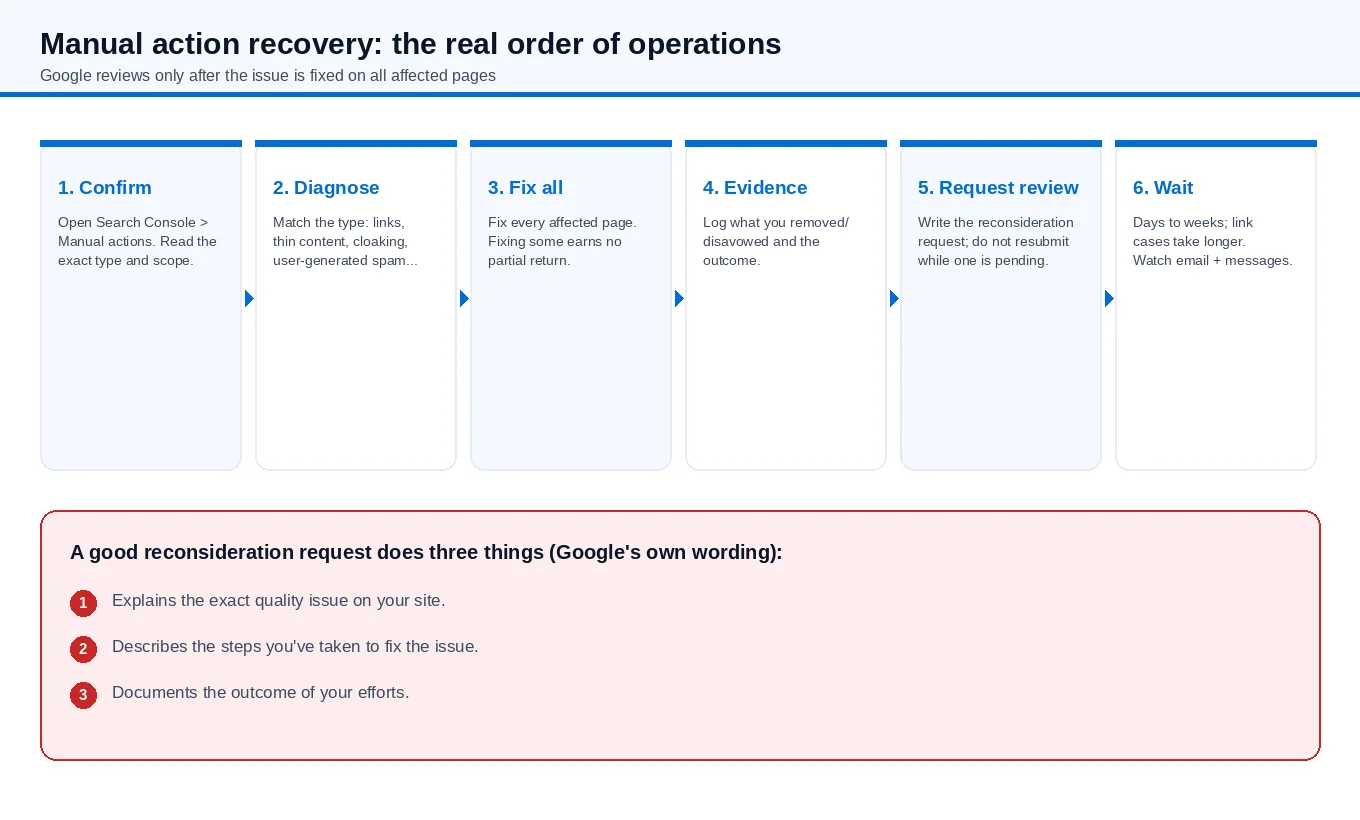
- Confirm the action and its scope. Open Search Console > Manual actions and read the description and affected page pattern.
- Diagnose the root cause. Do not assume you know it from a blog post; follow the "Learn more" link on the report for the exact type.
- Fix every affected page. A directory pattern means all pages under it, not just the ones you happen to care about.
- Log your evidence. Keep a record of what you removed, disavowed or rewrote. You will summarise this in the request.
- Submit one reconsideration request. Do not send several. Google asks you not to resubmit while a request is pending.
- Wait and watch. Most reviews take several days to weeks; link cases can take longer. You will get email updates.
Writing the reconsideration request itself
Google's own wording is unusually specific about what a good request contains. It does three things: it explains the exact quality issue on your site, describes the steps you took to fix it, and documents the outcome of your efforts. In practice, that means a short, factual letter — not a marketing pitch and not a plea.
For link-related actions, one point decides many outcomes: making a genuine effort to remove links before disavowing them. Google states that blindly adding every backlink to the disavow file is not considered a good-faith effort, and that disavowing all links without attempting removal can get the request rejected. Document the outreach, the links removed, and the ones you could not remove but disavowed.
If you recently bought a site that had the problem before you owned it, say so in the request and note that the site no longer violates the policies. Google explicitly allows for this situation.
How long does recovery take?
Honestly: it depends. Google says most reconsideration reviews take several days to weeks, and link-related ones often take longer because the reviewer checks removal efforts. Once the manual action is revoked, rankings do not normally snap back to their previous positions in a day — treated pages re-enter a normal algorithmic world and settle over time. Anyone promising a fixed number of days for a manual penalty is guessing.
What not to do
- Do not submit a request before the fix is complete. A denied request makes the next one harder.
- Do not disavow your whole link profile to look thorough. It looks like the opposite of a good-faith cleanup.
- Do not buy "penalty removal" promises that involve filing without fixing. There is no shortcut around the underlying problem.
- Do not confuse a manual action with an algorithm update and file a request with no action to review.
Short answer
Find the exact manual action label, fix it on every affected page, gather evidence, then submit one reconsideration request that explains the issue, your fix and the outcome — and wait. The fastest path is a complete fix, not a faster request.
If you would rather have the diagnosis and cleanup handled by a team that works on Google Search issues regularly, see our Google Search recovery and SEO services for how that process is scoped.