
You opened URL Inspection, and the two fields disagree. User-declared canonical says the URL you marked. Google-selected canonical says something else, and the report reads "Duplicate, Google chose different canonical than user". The instinct is to "fix the canonical tag". Most of the time the tag is not the problem — the problem is that Google's clustering logic thinks your page is a copy of a different URL, and you have to find out which signal made it think so.
One sentence from Google's own troubleshooting page reframes the whole task: a duplicate page must be similar to the canonical. If your declared canonical is not actually similar to the current page, Google will never choose it. So the work is to compare three pages — the current URL, your declared canonical and Google's selected canonical — and look for the signal that clustered them together.
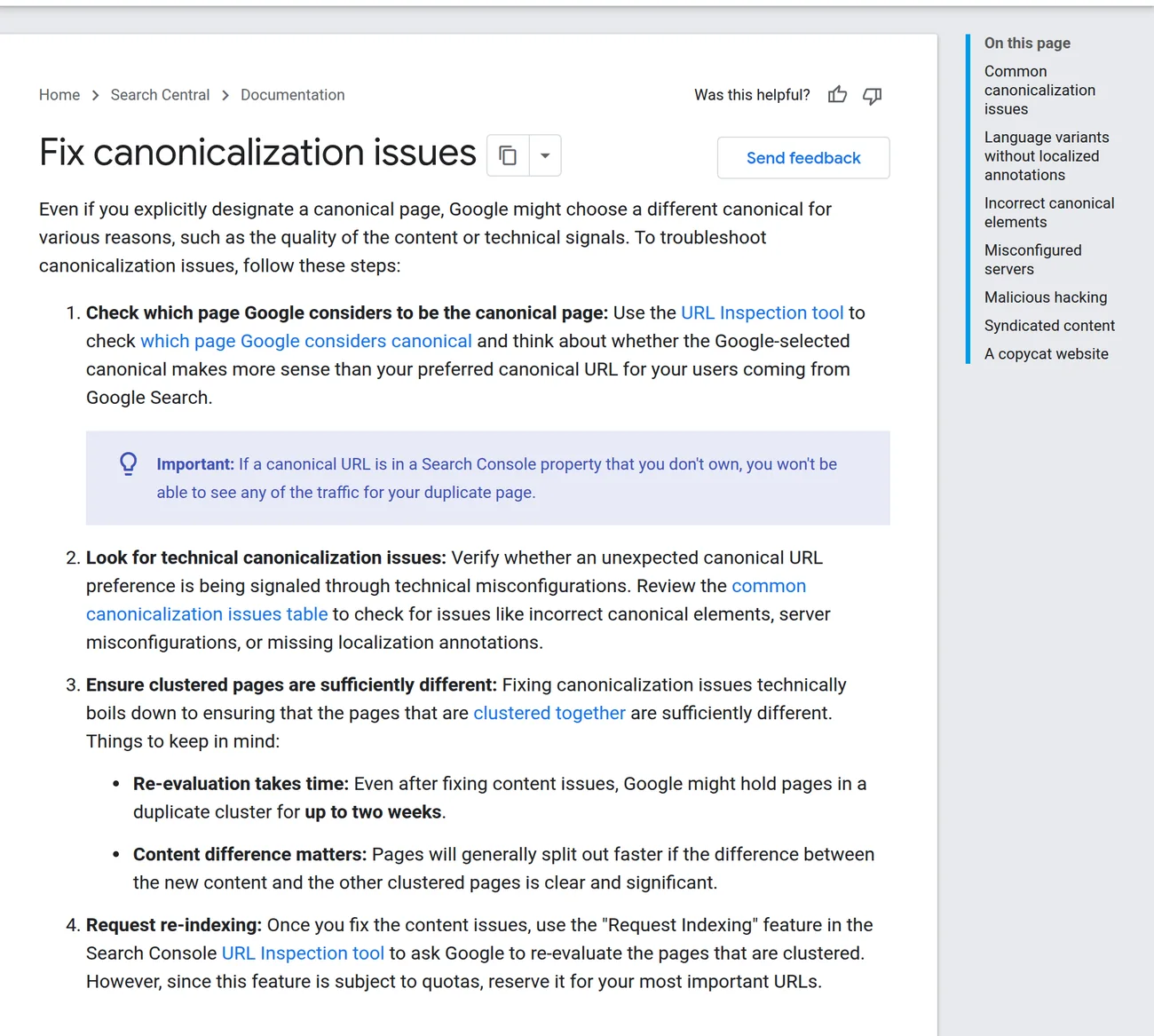
Read both fields before touching anything
In Search Console, open the exact URL, not the domain property, and read Page indexing. Compare:
- User-declared canonical — what your
rel="canonical", HTTPLinkheader, sitemap or redirect currently points to. - Google-selected canonical — the URL Google is treating as the real one.
- The current page — open it in a browser and read the rendered
<head>and response headers.
If Google's choice is genuinely the better page for searchers, the correct action can be to accept it and align your signals, not to fight it. Only when the selected URL is wrong or on a domain you do not control does it become a must-fix.
The signal that most often wins: your own links
Before exotic causes, check the boring ones. Google's clustering weighs internal links, sitemaps and redirects. If your navigation, breadcrumbs, hreflang or sitemap all point to /page while the canonical tag says /page-2, you have voted against yourself. A canonical tag is a hint, not a command; a consistent set of internal links is usually the stronger vote.
Walk the evidence path in this order:
- Response vs HTML. Does the server send a
Link: <...>; rel="canonical"HTTP header that contradicts the HTML tag? Headers can be set by the CDN, an app framework or a plugin and easily drift from the template. - CMS or plugin output. Official guidance names incorrect use of
rel="canonical"or a 3xx by CMS/plugins as a common cause. Fetch the raw HTML (view source, not the DOM) and search for every canonical tag — duplicates are common. - Server behaviour. A misconfigured host can return the same content for a URL on another host (a cross-domain duplicate), or return a "soft 404" that Google cannot distinguish from real content.
- Parameter and pagination duplicates. Faceted navigation, tracking parameters, session IDs,
?lang=, print views and paginated series are the usual factories for near-identical URLs; see how dynamic parameters create duplicate indexing. - Injection. A compromised page can add a cross-domain canonical or a 3xx in the head. If the selected canonical points to a domain you have never heard of, treat it as a security incident, not an SEO tweak.
- Localization. The same content served to several regions without
hreflangannotations gets clustered; official guidance lists "language variants without localized annotations" first in the common-issues table. Fix that with the hreflang audit method, not by rewriting canonicals.
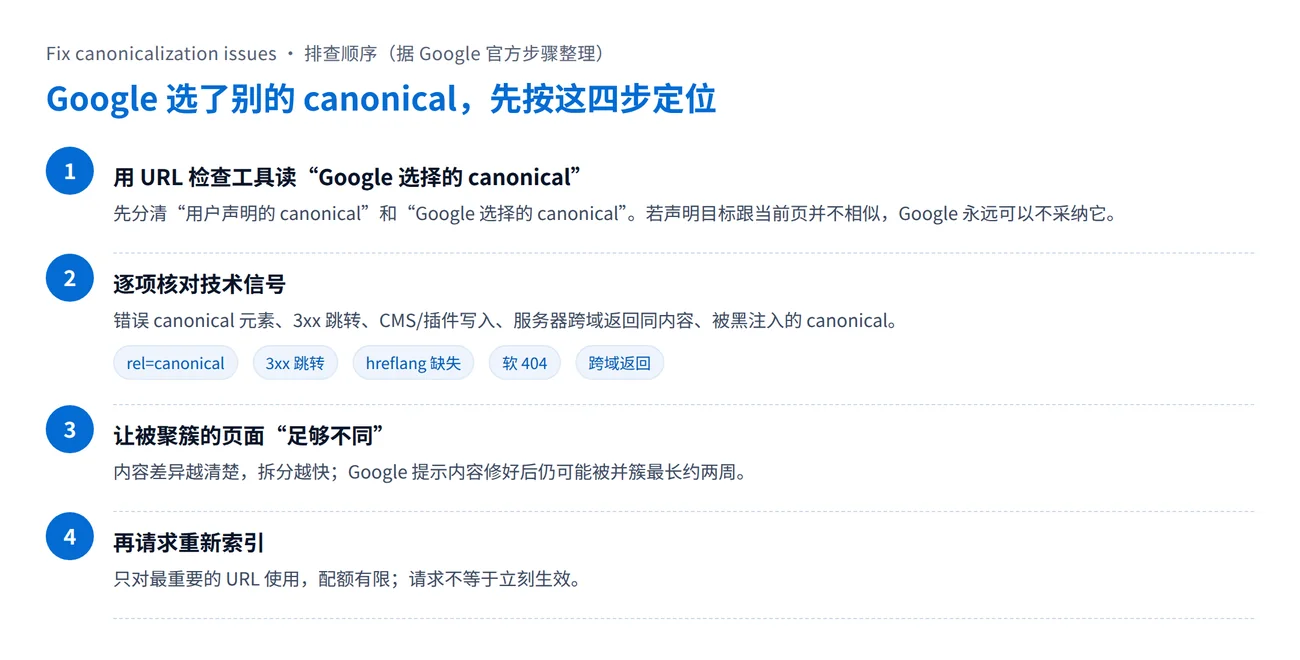
Making the pages "sufficiently different"
Once the technical signals agree, the remaining job is to ensure the pages that are clustered together deserve to be separate. Two short paragraphs with different words around the same sentences will stay clustered. Differences that reliably split pages are the kind a reader notices: different products, different prices, different scope, a genuinely different answer. Google states that even after you fix content, pages can stay in a cluster for up to two weeks, and that clearer differences split faster.
This is also why "just change the canonical tag" fails so often: if the two URLs remain near-identical, Google has no reason to accept either as the unique original.
Common wrong turns
- Canonicalising away real pages. If
/blue-widgetand/blue-widget-proare distinct products, pointing both to one canonical deletes a page from the index. - Pointing a page's canonical at a non-identical URL. Per the official definition, a duplicate must be similar to the canonical; a canonical that is not the same content will be ignored.
- Redirecting into a bad canonical. If
/a301s to/b, and/bdeclares/cas canonical, you have stacked two conflicting signals. See how to catch that in a bulk redirect check. - Assuming noindex is the same thing.
noindexremoves a URL; canonicalization consolidates it. Using the wrong one changes the outcome.
Verify after the fix
After correcting the signal, use Request Indexing only for the URLs that matter; it is quota-limited and not a guarantee. Then re-inspect after a few days and, separately, watch the canonical-related issues in Page indexing over the following two weeks. Record the before/after for the user-declared and Google-selected fields so you can tell a real change from a lagging report.
If you would rather have this diagnosed and tracked as part of an ongoing programme, the Google SEO service runs indexing and canonical checks against a project scope. For sites that syndicate the same article to partners, the controlled version of this problem is covered in canonical URL basics and in canonical and backlink targets.
Sources
- Fix canonicalization issues — Google Search Central (steps, common issues, two-week cluster note).
- How to specify a canonical URL — Google Search Central (definition of a duplicate, HTTPS preference).
- URL Inspection tool — Search Console Help (user-declared vs Google-selected canonical).