
"Google can't see my Vue site" is usually not one problem but three: Google never gets real HTML, it gets partial HTML, or it gets the right content only after a delay it may not wait for. Vue itself is not the enemy — a plain client-rendered single-page app is. This article covers what the crawler actually receives under each rendering strategy, and the specific Vue decisions that decide whether your content and links are visible.
How Google handles JavaScript, in one paragraph
Googlebot queues pages for crawling and then for rendering. It parses the rendered HTML and discovers new links from there. Server-side or pre-rendering is still recommended, for a concrete reason Google states plainly: it makes the site faster for users and crawlers, and not all bots can run JavaScript.
The four rendering strategies and what each sends
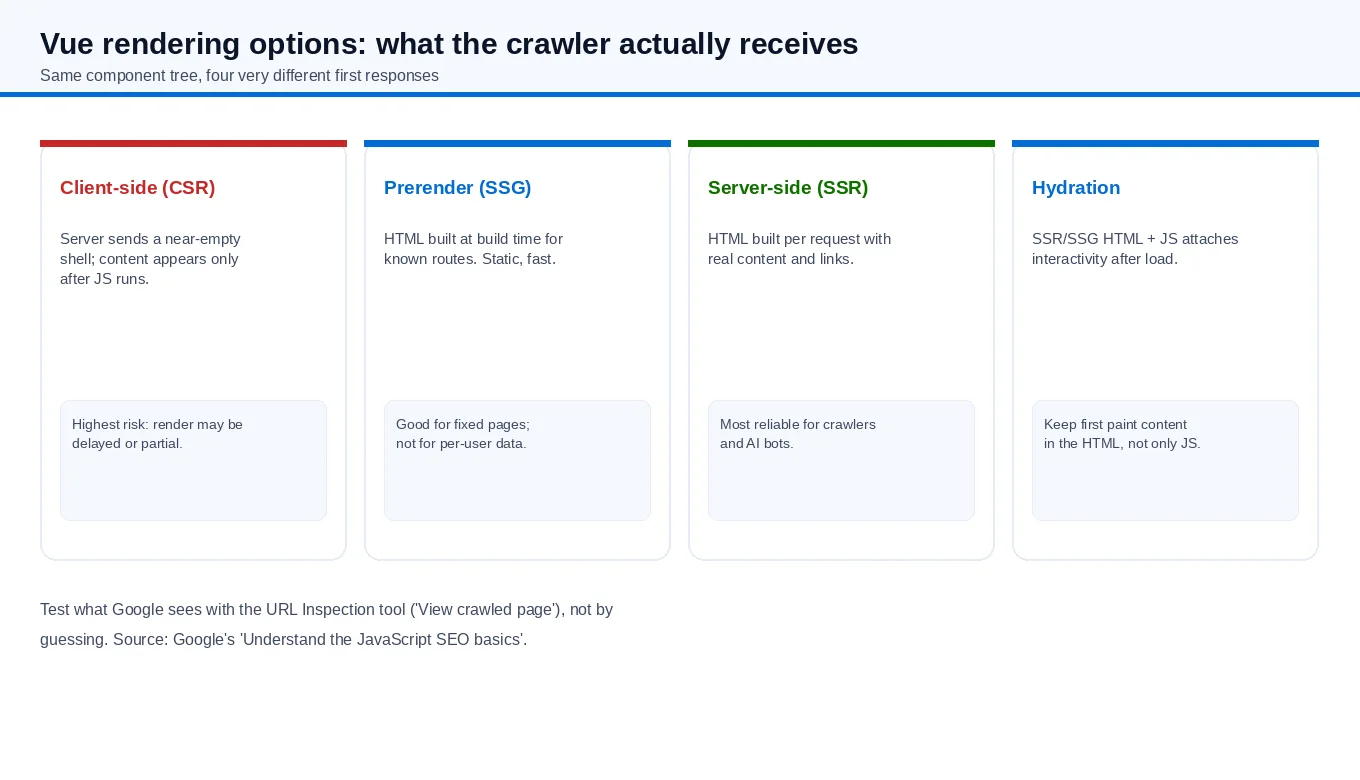
| Strategy | What the crawler first receives | Best fit |
|---|---|---|
| Client-side (CSR) | A near-empty shell; content appears only after JS runs | App-like pages that truly do not need ranking |
| Prerender (SSG) | Static HTML built at build time for known routes | Fixed marketing or content pages |
| Server-side (SSR) | HTML generated per request with real content and links | Content and pages that must be indexed reliably |
| Hydration | SSR/SSG HTML, then JS attaches interactivity | Any SSR/SSG page that needs to be interactive |
The practical rule: if a page's ranking matters, its core text and internal links should exist in the HTML the server returns, before any client script runs. Hydration is a good addition to SSR or prerendering, not a substitute for them — it makes a page interactive, but the content must already be in the first response.
Where Vue sites actually break
- Hash-only routing. Content behind
#/pagepaths is hard to treat as separate URLs. Use real paths so each piece of content has its own address. - Content fetched after mount. If the article body arrives from an API call after the app mounts, Google may render the shell first. Put the primary content in the server response.
- Meta and titles set only on the client. If
<title>and meta change after navigation via client JS only, the crawled page may keep the default. Set them at render time. - Structured data injected late. Markup added after an API response may be missed. Emit it in the rendered HTML.
- Internal links generated only by JS. Googlebot discovers links from rendered HTML, but links present in the initial HTML are found earlier and more reliably.
A checklist before you choose a strategy
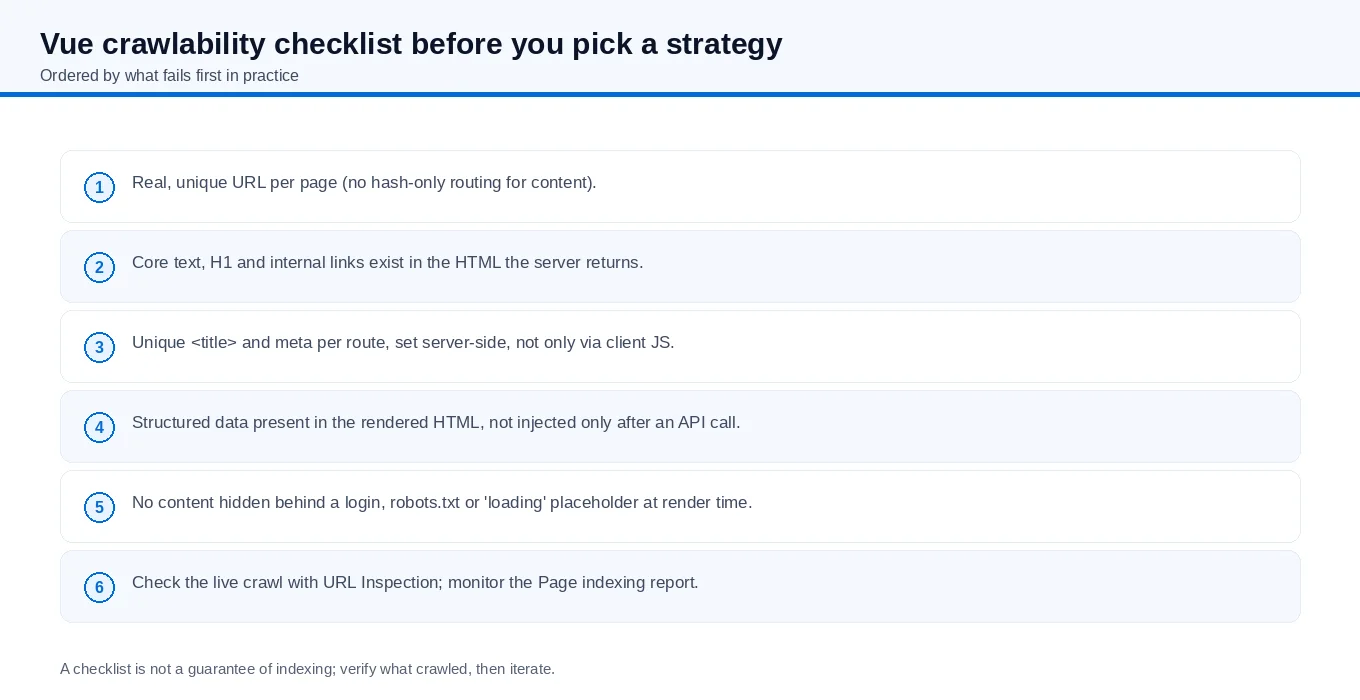
- Each content page has a real, unique URL (no hash-only routing for anything you want ranked).
- Core text, the H1 and internal links appear in the HTML the server returns.
- Per-route
<title>and meta tags are set server-side, not only through client JS. - Structured data is present in the rendered HTML rather than injected after an API call.
- Nothing important sits behind a login,
robots.txtor a "loading" placeholder at render time. - You check the live crawl with the URL Inspection tool and watch the Page indexing report.
How to verify what Google actually sees
Do not guess from your own browser. Open the URL Inspection tool in Search Console, run a live test, and look at the crawled page — the HTML Google fetched, not your rendered view. Check three things: is your main text there, are your internal links there, and is the title the one you expect. If the crawled HTML is an empty shell, no amount of content editing will fix indexing; the rendering strategy will.
Two honest caveats. First, Google can render JavaScript, so a CSR page is not automatically invisible — but rendering is a second step with its own timing, so SSR or prerendering removes that uncertainty. Second, other systems (including some AI tools) may not execute JavaScript at all, so server-rendered content reaches more readers, not fewer.
Short answer
Vue SEO fails when the content that matters is not in the server response. Serve real HTML for pages you want ranked (SSR), or prebuild it (prerender/SSG), then hydrate for interactivity. Keep URLs real, titles and structured data in the rendered HTML, and verify with URL Inspection instead of trusting the browser.
If your Vue or SPA front end needs a crawlability review as part of a larger build, our B2B website and SEO services pages describe how front-end work and search visibility are handled together.